The Shared Calendar App for Couples
The only calendar that understands your relationship. Sync both your schedules, including Google, Apple and Outlook, into one shared view. The easiest way to see what each other have on, and when you are both free. Free on iOS and Android.
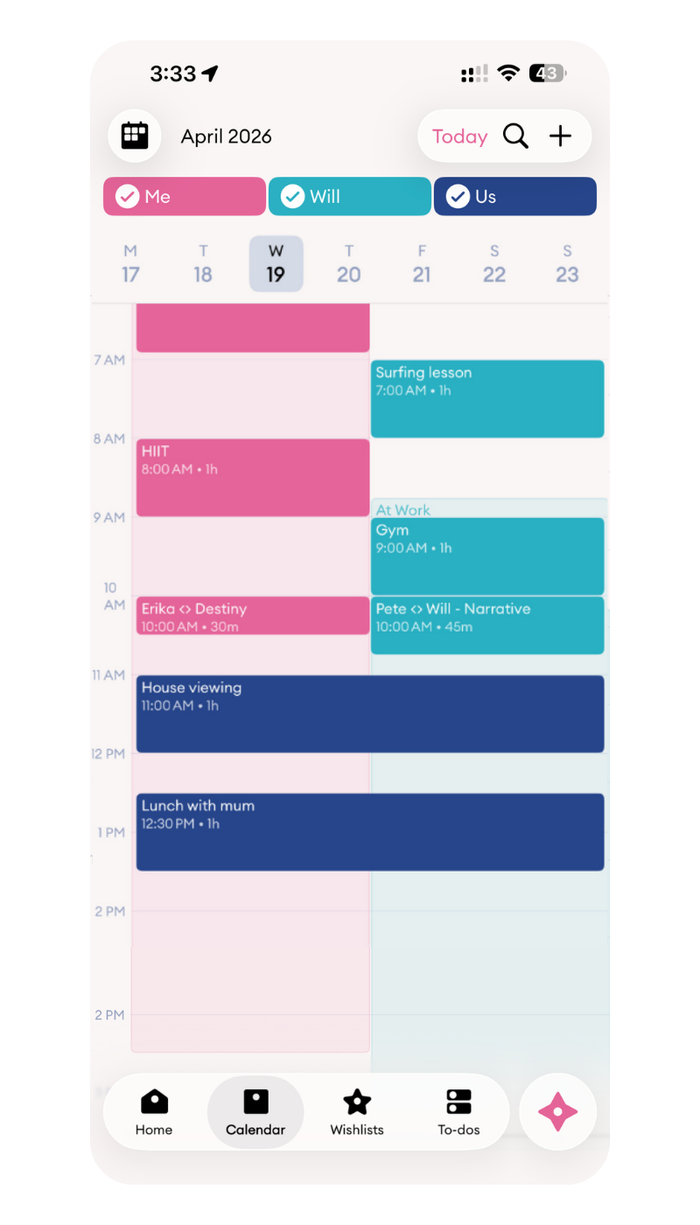
Built for two schedules, one shared life
Never ask your partner “what do you have on” again. Cupla is the only app built specifically for couples, increasing visibility and removing the friction couples face when coordinating busy schedules.
Most calendar apps are built for one person, or for larger families with overwhelming displays. Couples need something different: two schedules, one shared view, with the privacy to keep some things to yourself.
That’s exactly what Cupla is.
How the shared calendar works
Sync everything you already use
Or not, the choice is yours. Google Calendar, Apple Calendar, Outlook, and any calendar already on your iPhone or Android, including iCal subscriptions. Connect once and you’re done.
Multiple views
Both of your events side by side in Day View. All the events stacked in Schedule View. Or a complete overview in the most comprehensive display, Month View.
Two-way sync
Changes flow back to your native app, so events you add in Cupla show up in Apple Calendar and vice versa. No more double-entry.
Colour-coded by person
Pink for me. Teal for them. Navy for us. Over 1,000 couple combinations. Filter with a single tap so you can see only what’s yours, only what’s theirs, or everything together.
Privacy you control
Block out time without sharing the details. Share what you want, keep what you don’t.
Easy plans by email forwarding
Got an invite in your inbox, or tickets to a show? Forward them to [email protected] and they’ll be added to your calendar.
View it your way
Whether you want today at a glance, the week ahead, or the whole month, Cupla shows your shared calendar the way that suits you both.
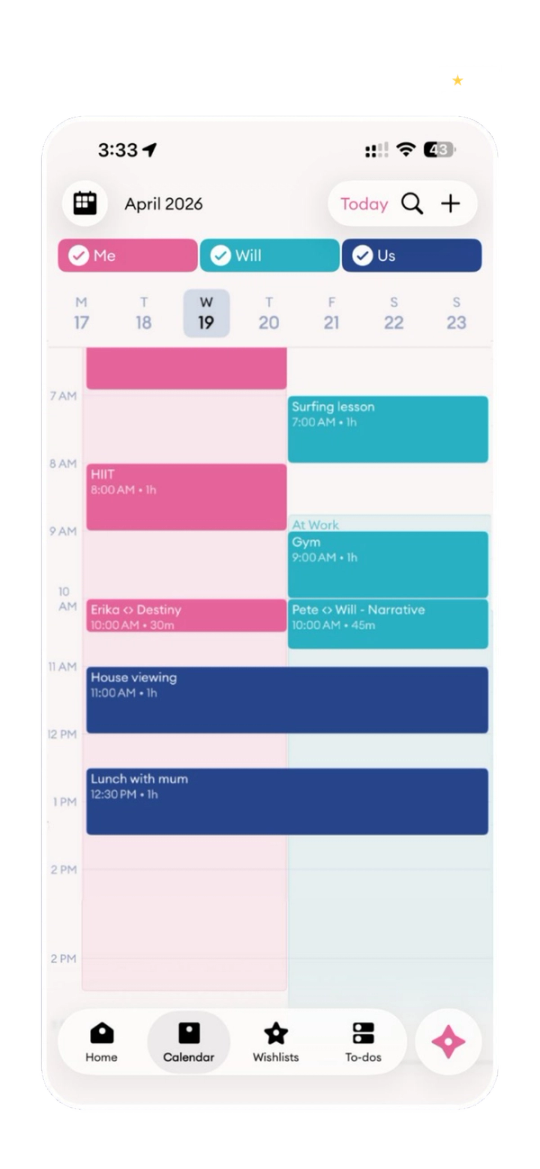
Day View
Both your days side by side, hour by hour. See exactly where the overlaps are.
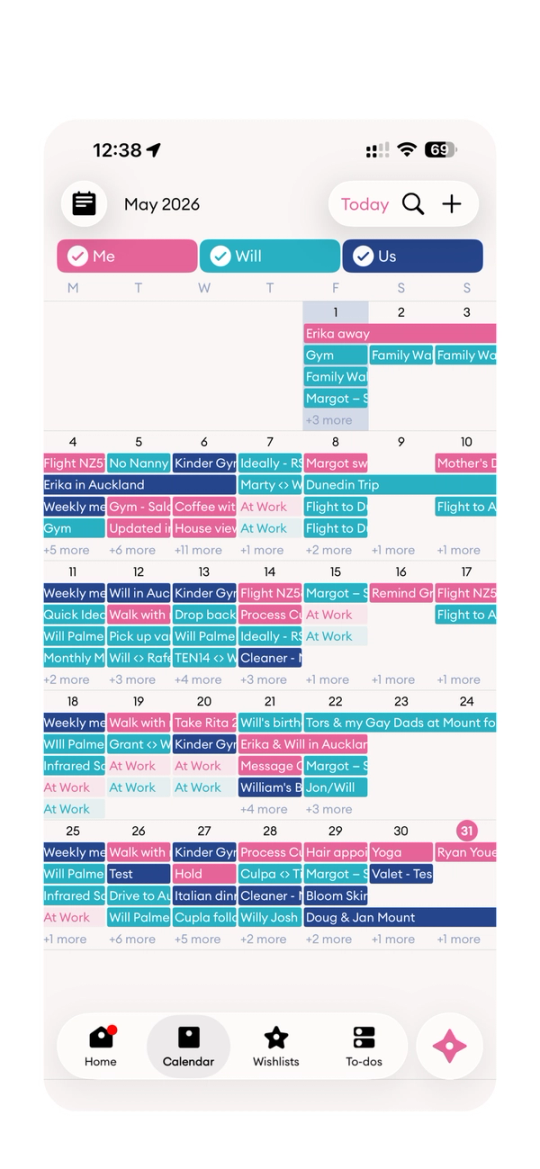
Month View
The complete overview. Every event, colour-coded by person, across the whole month.
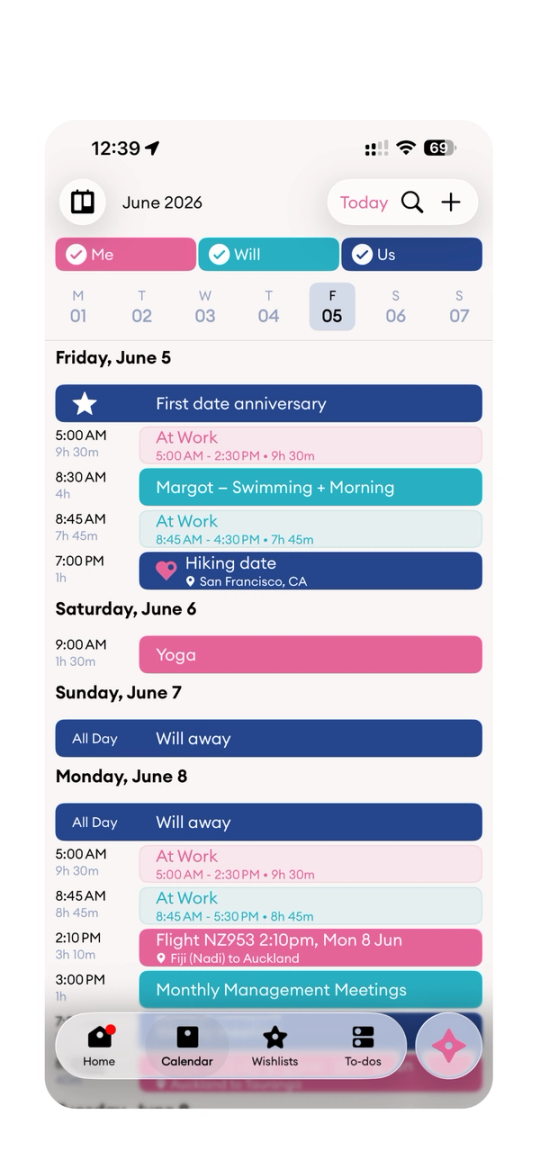
Schedule View
Everything stacked in a simple running list, so nothing slips between the days.
Compatible with every calendar you already have
Cupla doesn’t need to replace your calendar, it brings them all together. Connect your Google Calendar, your partner’s Apple Calendar, and any work calendars in between. Cupla pulls them into one shared view that updates the moment something changes.
Once you and your partner are synced, Cupla keeps working even if one partner is more of an active user than the other. Available on iPhone, iPad, Android, and the web.
More than just a shared calendar
Cupla understands what is unique about managing time together as a couple.
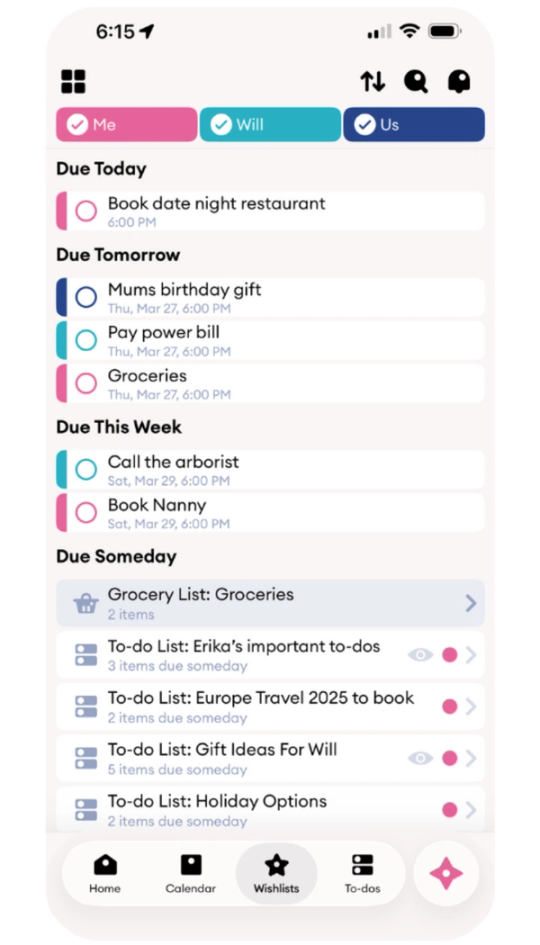
To-dos & reminders
Shared lists for the everyday, and they appear right on your calendar so nothing gets forgotten.
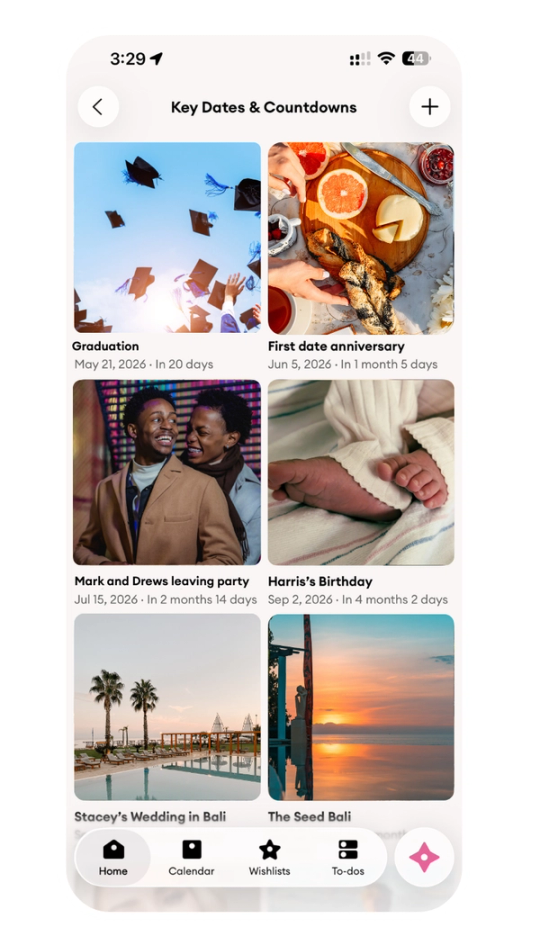
Key Dates & anniversaries
Highlights the most important calendar entries, so the moments that matter never sneak up on you.
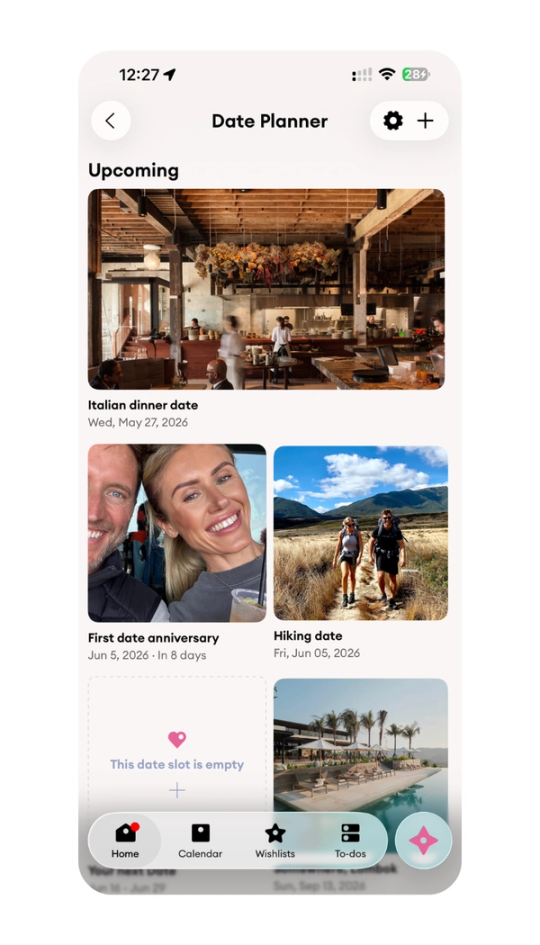
Date Planner
Ensure quality time takes priority, with gentle nudges to plan your next date together.
How Cupla compares to other shared calendar apps
Sharing your Google Cal
- Built for couples Generic
- Colour-coded by person No
- Privacy controls All or nothing
- Works with Apple Cal + Outlook Manual
- More than just calendar No
Cozi / TimeTree
- Built for couples Families
- Colour-coded by person No
- Privacy controls Limited
- Works with Apple Cal + Outlook Partial
- More than just calendar Some
Cupla
- Built for couples✓ Built for two
- Colour-coded by person✓ Yes
- Privacy controls✓ Per event
- Works with Apple Cal + Outlook✓ Native
- More than just calendar✓ Full toolkit
Free to start. Premium when you want more.
Cupla’s shared calendar app for couples is free. Premium unlocks additional calendar views and advanced features.
Everything two people need to get on the same page.
- Calendar Day View
- To-dos & lists
- Key Dates & Countdowns
- Date Planner
- Schedule View
Unlock the complete monthly overview when you’re ready.
- Month View, the complete overview
- Everything in Free
- Advanced calendar features
Trusted by 500K+ couples
I came onto the App Store looking for a calendar my partner and I could use together as we’re always missing important events and never on the same page. Cupla delivered that, and more! I love putting lists in the to-dos section for us to keep track of holidays, gifts, random reminders and now there’s chat. The best app for couples, hands down. 💕
My partner and I both have crazy schedules and a lot of times things come up at last minute. The Cupla calendar gives us a great visualization of our schedules and has helped us so much in making sure we have at least one day a week that we are spending time together. I have told several of my friends about it!
We have such varying schedules and Cupla makes it easy to keep each other updated with plans. It also makes it easy to see when was the last time we went on a date, prompting us to plan a little something.